Instagram Viral Princess Ai Video Editing – Hello friends, right now this Princess AI reel is going viral very fast on Instagram. There was a lot of demand from people for this video on how we should edit our videos. Today I am going to tell you about this AI editing, which you will like very much. So in this post I am going to give you this photo and video prompt. This viral princess video is created using AI, first we will create our image using chatgpt. Then, you’ll learn how to create your own videos using grok AI tools. Just read this article thoroughly.
Details Of Instagram Viral Princess Ai Video Editing
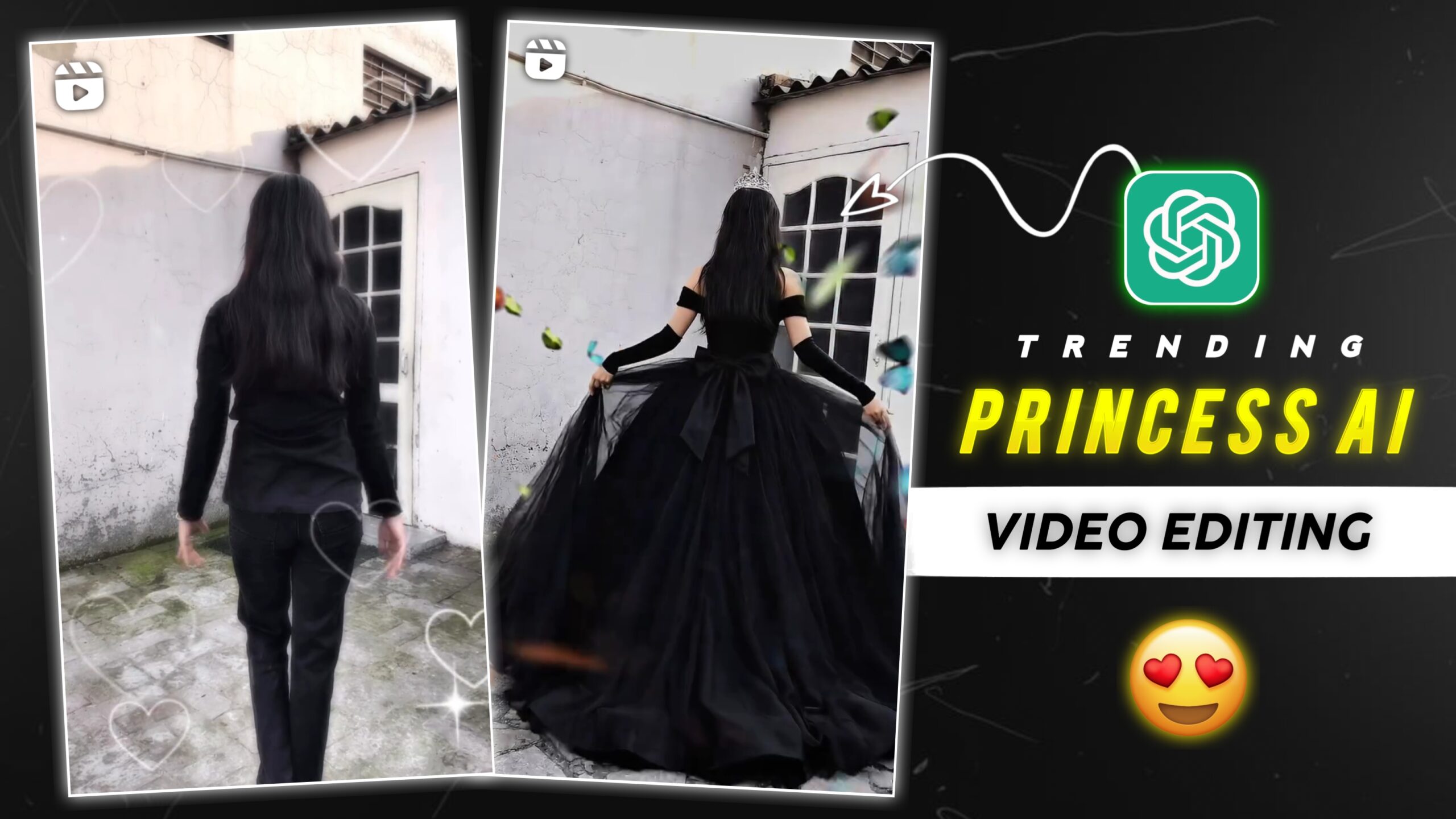
First of all let us know about editing. Friends, this video is trending a lot on Instagram. And people are making Princess AI videos and posting them on their social media. And his videos are going viral very fast. In this video, a girl goes from the back with both her hands spread, after which she transforms into a princess. And this video is created using AI. In this article I am going to give you prompts, then you can create this princess video from your own images. But to know the complete process, you should read this article carefully.
How To Prepare Your Clips For This Editing
Friends, to learn this AI video editing, you need to know how to create your video from the right images. So to make this video, first of all you have to take a photo of yourself. To take a photo, you can click the photo by keeping both your hands slightly spread towards the back side. You can take photos in an open field or in an empty space on the roof of your house. But while taking the photo, pose in such a way that you are standing straight, and keep both your hands slightly spread. Take a photo of yourself like this, then we will make this viral princess video from that photo. Read this article to learn the complete process, copy the prompt below to create the photo. Then click the Create button to create your photo. Then scroll down a bit.
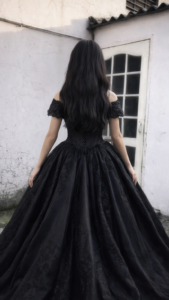
Photo Prompt 👇
Use the uploaded black princess ball gown dress as the clothing reference.
Replace the clothing of the person in the uploaded photo with the same elegant black royal princess gown.
Keep the same person, same face, same body shape, same pose and same hairstyle exactly as the original photo.
The dress should be a large royal ball gown with a wide flowing skirt, detailed fabric texture, soft folds and cinematic elegance.
Make the clothing fit naturally to the body with realistic fabric physics.
Keep the background unchanged. Ultra realistic photography style, natural lighting, cinematic look, sharp focus, high detail, 8K quality
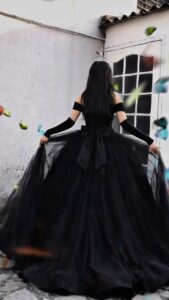
Video Prompt 👇
Ultra-realistic cinematic shot of a beautiful princess wearing a long elegant black royal gown, seen from behind. The princess slowly begins walking forward in a graceful slow-motion movement. Her long black hair gently sways with the motion while the large flowing gown softly moves and drags across the ground with natural fabric physics.
The princess walks like a royal queen with calm, elegant posture. Her arms move slightly and naturally while walking. The long black dress fabric waves subtly with each step, creating soft cinematic motion. The ribbon bow on the back of the dress moves slightly with the breeze.
Environment: Outdoor courtyard with soft daylight, white wall and vintage door behind her. Natural lighting with soft shadows.
Camera: Cinematic rear tracking shot following the princess from behind. Slow camera movement. Shallow depth of field.
Motion: Natural human walking motion, slow motion elegance, realistic dress physics, hair moving gently with air. Style: Ultra-realistic cinematic look, smooth slow motion, high detail, 4K HDR, vertical 9:16, natural movement, no text, no watermark.
How To Generate Instagram Viral Princess Ai Video Editing
Friends, to make this video, you can make your video by clicking on the Create Video button given above. But read each step carefully and then start making your video and photo. If you don’t know how to use the prompt, please read this paragraph carefully. Do not skip any of the steps mentioned here.
How To Generate Your Image?
Now know how to generate the image, I have explained it step by step.
- So first let us copy the photo prompt given above.
- Now click on the Create Image button given above.
- Now the Chatgpt website will open on your phone.
- After that click on the plus icon on the bottom side.
- Then you click on the photo.
- Now paste the prompt along with your image and click on the send icon.
- Your image will then start generating. You’ll need to wait for the processing to take place.
- After that the image will be generated, now you have to click on the image and save it.
How To Generate Your Video?
Now let’s understand how to make the video, I have explained it step by step.
- So for this, click on the Create Video button given above.
- Then the grok AI website will open in your phone.
- Then you click on create video.
- Click on See All and add your photo.
- Copy the video prompt above and paste it below this photo, then click send.
- After that the video creation will start, just wait a little.
- Then you save your video
Conclusion
Friends, I have told you about this Princess AI Video Edit and Image Generator. And I have also shared the link. I hope you will like this viral AI video. Keep visiting our website for more such trending videos and image editing lessons. I will keep teaching you such trending videos and photo editing, just keep your love and support.