Babasaheb Ambedkar Jayanti AI Photo Editing Prompt 2026 – Friends, you are heartily welcome to our website. In this article, we are going to give you the best AI photo editing prompt for bhim Ambedkar. These types of viral AI photos are quite trending these days. Now you can easily create such attractive and professional photos with the help of Google Gemini. In this tool, you have to first upload your photo. Then you enter a correct text prompt, and the AI automatically edits your photo. In this article, we will explain the entire process to you step-by-step, so please read it carefully till the end.
Details Of Babasaheb Ambedkar Jayanti AI Photo Editing Prompt 2026
Friends, nowadays such images are going viral very fast on social media platforms. With the help of AI, people are creating Babasaheb Ambedkar Jayanti photos and posting them on social media. Nowadays, with the help of AI tools like Google Gemini, you can easily create your own photos even without any editing skills. In this article, I am going to give you different types of new prompts. If you use different types of prompts. So your photo will look more professional and unique. I’ve explained the entire process step-by-step in this article, so please read it carefully.
What Is Google Gemini Photo Editing Prompt?
Friends, Gemini is a modern AI tool. With the help of which you can easily edit your photo by just writing text and prompt. In today’s time, it is no longer necessary to learn photo editing. Now anyone can create professional and attractive photos without any editing skills just by using the right prompts. You just have to understand how to use the prompt correctly. However, you don’t even need to write the prompt yourself. In this article, I’m going to give you prompts that you can use straight away. If you want to use prompts, try the different prompts below and edit your photos in a great way.
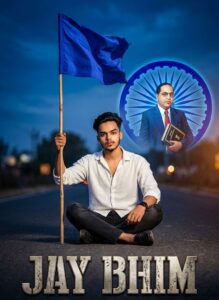
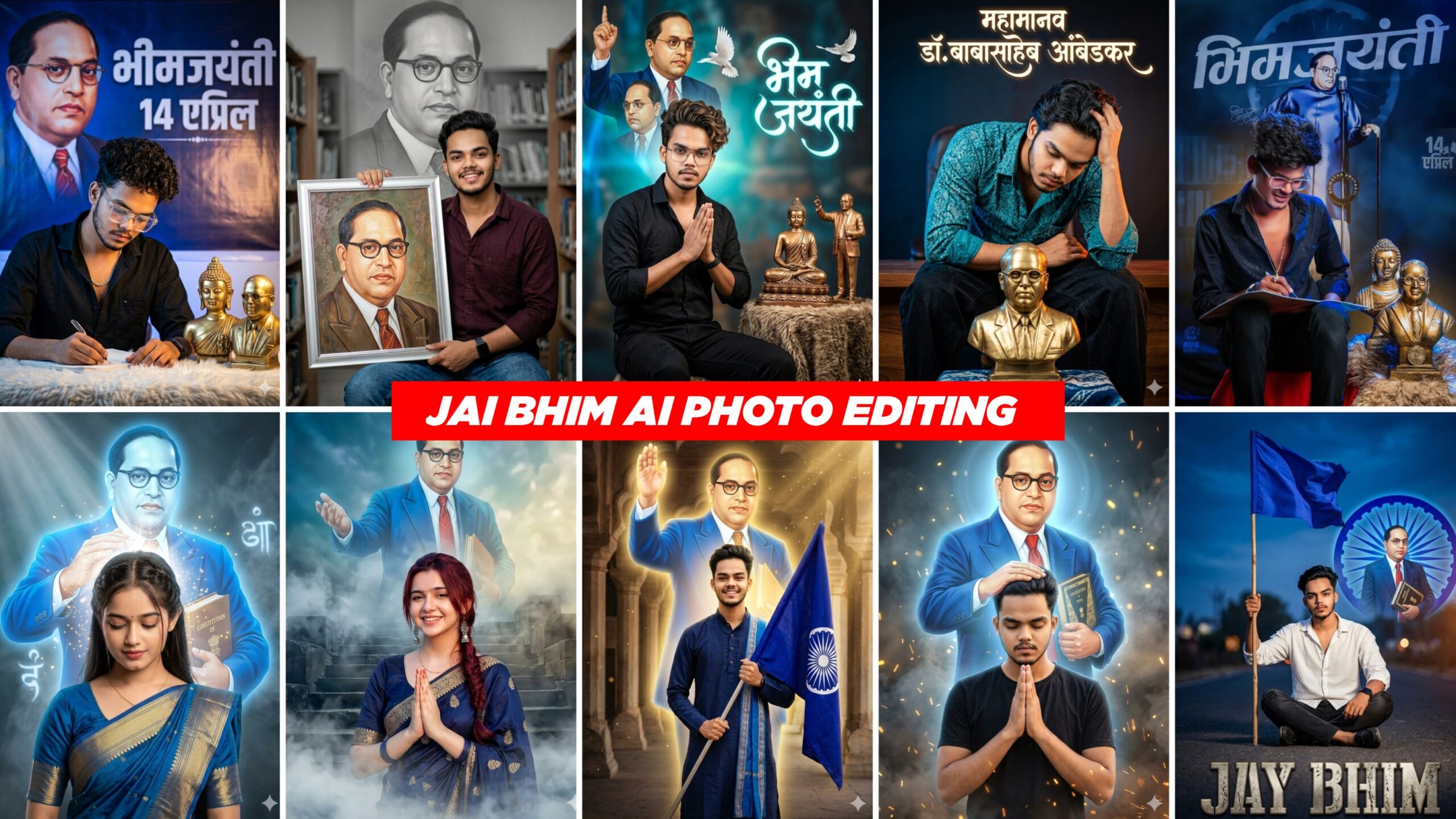
A high-fidelity cinematic tribute poster. In the upper half, a dignified portrait of B.R. Ambedkar wearing a brown suit and spectacles, holding a book titled 'Indian Constitution,' set inside a large, glowing blue Ashoka Chakra wheel. In the foreground, a young man with styled hair is sitting on an asphalt road, looking directly at the camera with a confident expression. He is holding a tall flagpole with a vibrant blue flag waving in the wind. The color palette is dominated by deep blues and crisp whites. The bottom of the image features the bold, stylized text 'JAY BHIM' in a metallic, weathered font. High resolution, 8k, professional digital photo manipulation style, sharp focus, and dramatic lighting.
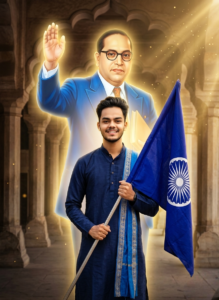
A cinematic, hyper-realistic tribute poster featuring a young man standing proudly in the foreground. He is wearing a dark navy blue traditional kurta with a vibrant blue sash tied around his waist, smiling confidently while holding a flag. The flag is deep blue, featuring the white Ashoka Chakra symbol at its center. In the background, a large, ethereal, and semi-transparent glowing figure of Dr. B.R. Ambedkar appears in his signature blue suit and glasses, raising one hand in a blessing gesture. The setting is a majestic, ancient hall with stone pillars and arched architecture. The lighting is divine and golden, with glowing particles and a halo effect around the background figure. 8k resolution, DSLR quality, dramatic lighting, sharp focus, and high-fidelity textures.
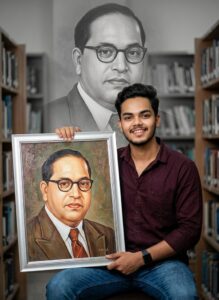
A high-quality, cinematic portrait of a young Indian man sitting and holding a large, silver-framed painting of Dr. B.R. Ambedkar. The young man is wearing a dark maroon button-down shirt and blue jeans, looking directly at the camera with a confident smile. Behind him, the background features a large, desaturated and faded mural of Dr. Ambedkar in a library setting, creating a powerful "double exposure" effect. The lighting is soft and professional, highlighting the details of the shirt fabric and the texture of the framed art. 8k resolution, DSLR quality.
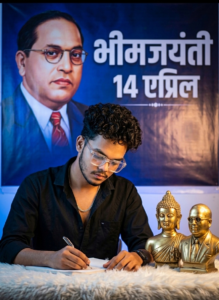
A high-quality, cinematic portrait of a young man with curly hair and stylish transparent glasses, sitting and focused on writing in a notebook. He is wearing a black button-down shirt and a silver chain. To his right, two golden metallic busts are displayed—one of Lord Buddha and one of Dr. B.R. Ambedkar—resting on a textured fur surface. The background is a deep blue, dramatic atmosphere featuring a large, artistic tribute poster of Dr. Ambedkar with the Marathi text 'भीमजयंती' and '14 एप्रिल' in bold white font. The lighting is professional with sharp highlights on the subject's face and a soft blue glow in the background, creating a 3D-realistic, high-fidelity digital art style.
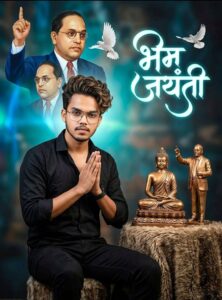
A high-quality cinematic portrait of a young man with styled, wavy hair and glasses, wearing a black button-down shirt and black trousers. He is sitting in a respectful "Namaste" or "Anjali Mudra" pose with hands pressed together. To his side are two golden-bronze statues on a textured, fur-like pedestal: one of Lord Buddha and one of Dr. B.R. Ambedkar. The background features a large, artistic composite of Dr. B.R. Ambedkar in various poses (wearing a suit and spectacles), set against a deep blue and teal backdrop with subtle light flares and white birds in flight. The image has a professional photo-editing style, featuring vibrant blue lighting accents, sharp details, and elegant Hindi/Marathi calligraphy that reads "Bhim Jayanti" in a glowing font.
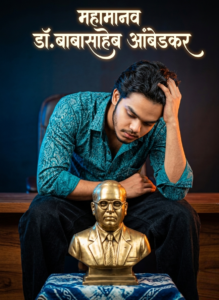
A high-quality studio portrait of a young man with a beard and stylish hair, wearing a teal patterned shirt. He is leaning forward with one hand resting on his head, looking down respectfully at a golden brass bust of Dr. Babasaheb Ambedkar. The bust is placed on a blue and white patterned cloth. The background is a moody, dark gradient with subtle blue and orange rim lighting. Above the man, there is elegant Marathi calligraphy text that glows faintly. 8k resolution, cinematic lighting, sharp focus.
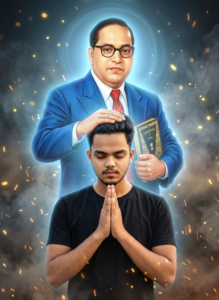
A high-fidelity, cinematic digital art piece featuring a young man in a black t-shirt with his eyes closed and hands in a prayer position (namaste). He is bowed in reverence. Standing protectively behind him is a large, ethereal, and glowing figure of Dr. B.R. Ambedkar, wearing his iconic blue suit, red tie, and spectacles, holding the Constitution of India. Ambedkar’s hand is placed gently on the young man's head in a blessing gesture. The background is dark and atmospheric, filled with dramatic swirling smoke, glowing golden embers, and a soft blue divine aura radiating from the central figure. Ultra-realistic details, 8K resolution, dramatic lighting, and a profound sense of inspiration.
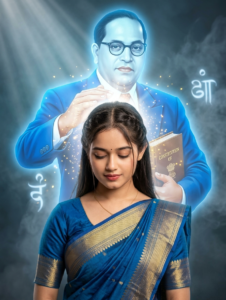
A cinematic, hyper-realistic digital painting. In the background, a large, ethereal, and glowing figure of B.R. Ambedkar in a sharp blue suit and red tie, looking forward with a calm expression. He is placing his hand gently on the head of a young Indian woman in the foreground as a gesture of blessing. The woman is wearing a traditional deep blue silk saree with an ornate gold border and a small bindi. The atmosphere is mystical, featuring dramatic volumetric lighting, gold dust particles, and soft blue smoke swirling around the figures. 16k resolution, masterful composition, emotional and inspiring.
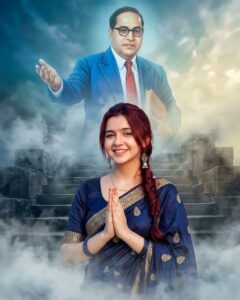
A high-fidelity cinematic digital art piece featuring a young woman in the foreground and a large, ethereal tribute figure in the background. The woman is dressed in a luxurious navy blue silk saree with intricate gold embroidery, looking over her shoulder with a graceful expression. She stands on ancient stone steps shrouded in thick, swirling white mist and smoke. In the background, a translucent, monumental figure of Dr. B.R. Ambedkar appears in the sky, wearing a classic blue suit, spectacles, and a red tie, with one hand outstretched as if offering a blessing or guidance. The lighting is dramatic and moody, with a cool blue color palette, 8K resolution, ultra-realistic textures, and a dreamlike, spiritual atmosphere.
How To Use Babasaheb Ambedkar Jayanti AI Photo Editing Prompt 2026
To create AI photo of Babasaheb Ambedkar Jayanti, you can easily create your photo by clicking on the “Create” button given above. Read all the steps carefully, friends. Only then start editing. If you don’t know how to use it, read this paragraph carefully. Do not skip any of the steps mentioned here.
How To Use Google Gemini
- Click on the Create button.
- The Google Gemini website will then open.
- Now the interface will appear in front of you, click on the plus icon at the bottom side.
- Now add photos from your gallery.
- Paste the prompt below the photo and click send.
- Your photo will start getting created, you just have to wait a little.
- Click on the photo and save the photo.
Conclusion
Friends, I have given you AI photo editing prompts for Babasaheb Ambedkar Jayanti. Also, the entire editing tutorial has been explained in detail in this article. I have explained step by step how to use prompts. So you won’t have any problems. I hope you enjoyed this AI editing app. Because in this article I have given different types of prompts. With their help, you can make your photos more professional and attractive. To learn more such new photo editing techniques, keep visiting our website. And keep your love and support.