
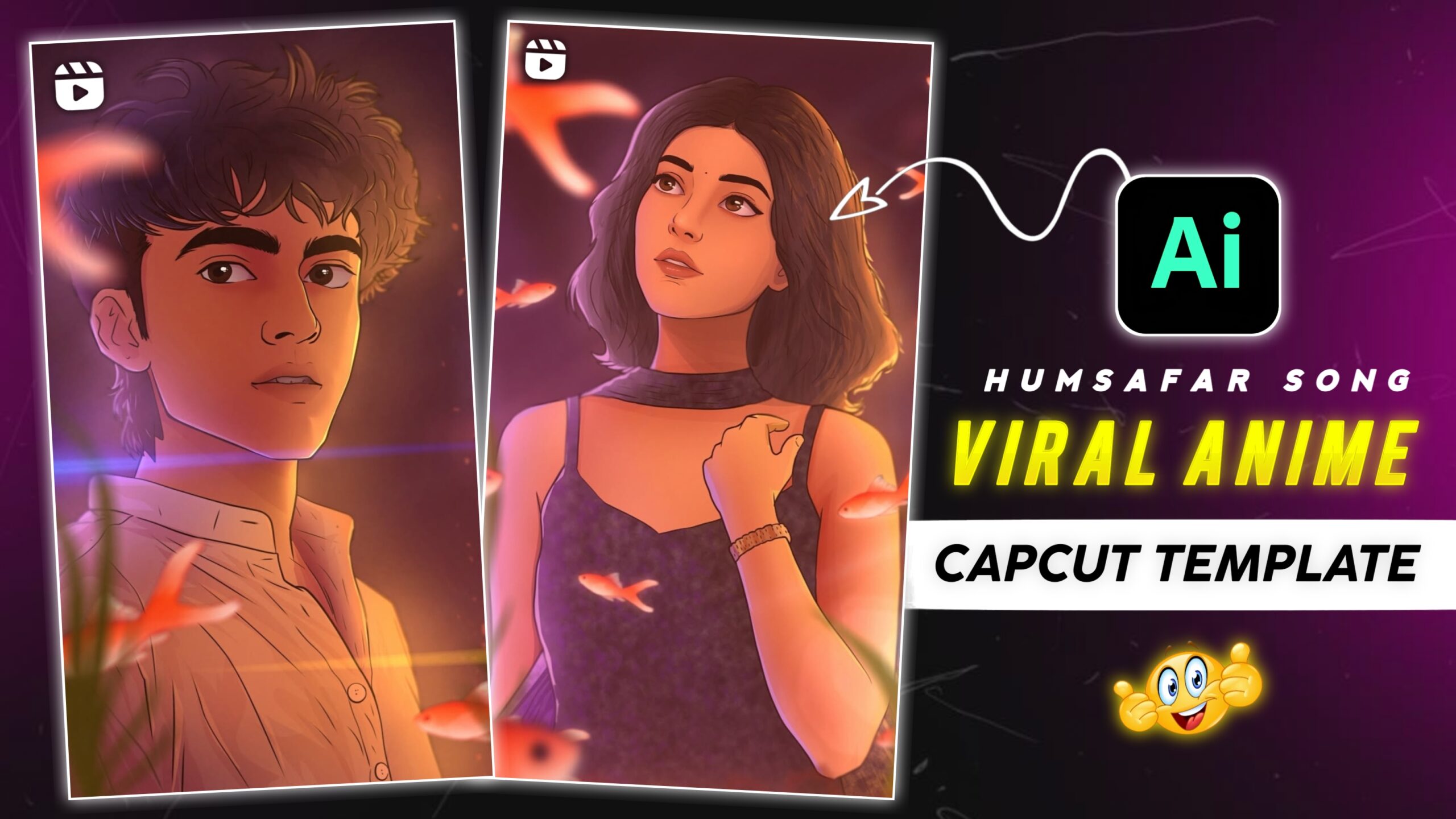
Instagram Viral Humsafar Song Anime Video Editing – Friends, if you want to make this anime style video that goes viral on Instagram. So today in this article I will tell you the complete process, just read this article. People are making such videos and posting them on Instagram. And as soon as they are posted, their videos are going viral and getting a lot of likes. This video is created using AI, and we will also create our images using Google Gemini. And then you will learn to create your own video using Flow AI tools. I’m going to give you photo and video prompts in this article. And I am going to tell you about this AI editing, which you will like very much.
Details Of Instagram Viral Humsafar Song Anime Video Editing
Friends, first of all let us know how to make this AI video. This is a popular AI video editing tool, which people are liking very much these days. In this video there is a boy who looks at a girl, after that the girl is looking at that boy then the song Humsafar starts. Which looks very cinematic but it is an anime animation video. And I’m going to tell you how to make this viral AI video absolutely free. But to learn the full process, read this article carefully. Then scroll down a little.
What is AI photo And Video Editing?
Look friends, nowadays new AI videos are going viral every day on social media. And using Google Gemini and Flow AI, people are creating such trending AI videos. But all this AI will automatically edit your videos and photos. That’s why people use AI to edit their videos and photos, because AI makes your video look professional. You must have used this AI tool because it is a very popular AI tool. And we will also learn to create this video using AI in this post. Which I am going to tell you through this article. So please read this paragraph carefully. Don’t skip any of the steps mentioned here. First of all, to create anime photos and videos, copy the prompt given below and then you can scroll down a bit.
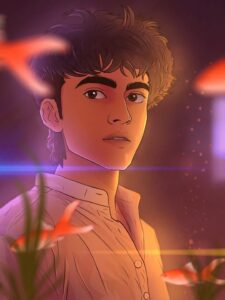
Transform the provided portrait photo into a soft cinematic digital illustration in anime style, keep the same face, same hairstyle, same expression and same pose. Style inspired by modern anime portrait illustration, smooth line art, soft cel shading, warm cinematic lighting, glowing orange and purple atmosphere. Add subtle floating particles and soft lens flares around the subject. Add small glowing fish swimming in the foreground with aquatic plants slightly blurred. Skin rendered in smooth anime shading, expressive eyes, clean linework, stylized yet realistic proportions. Lighting is warm golden light from one side and soft purple ambient light from the background creating a dreamy atmosphere. Ultra detailed digital painting, clean gradients, soft glow effects, cinematic color grading, depth of field, illustration style similar to modern anime film artwork. Keep the exact framing of the original photo, chest-up portrait, soft blurred background. high detail, ultra clean digital art, 4k illustration
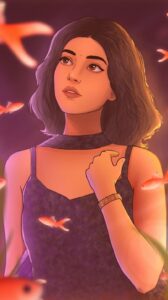
Animate this anime-style portrait with subtle cinematic motion. The character remains still while the environment gently moves. Small glowing particles slowly float in the air around the character. Soft cinematic light flares move across the frame. Tiny glowing fish in the foreground slowly swim from left to right and slightly up and down. Aquatic plants gently sway as if underwater. Very soft wind slightly moves the character’s hair. Lighting softly flickers creating dreamy reflections on the face. Camera performs a very slow cinematic push-in toward the character. Atmosphere is magical, dreamy and calm. Ultra smooth motion, natural animation, anime film style. No distortion, no face change, keep the character exactly the same.
How To Generate Instagram Viral Humsafar Song Anime Video Editing
Friends, today I am going to teach you step by step how you can turn your video into a cinematic animation video on the song Humsafar. To create this video, you can create your video by clicking on the Create Video button given above. I have told you the complete steps in this post, so please read this article carefully.
How To Generate Your Image
- First of all you should copy the prompt with the photo.
- After that click on the Create button below the photo.
- Then Google Gemini website will open in your phone.
- Then click on the plus sign at the bottom.
- Then add photo from your gallery.
- Now paste the prompt below the photo.
- Then you click on the send icon.
- After that your photo will start getting created, just wait a little.
- Then save the photo by clicking on it.
How To Generate Your Video
- First, you copy the video prompt.
- Click the Create Video button below the prompt.
- Now the Flow AI website will open on your phone.
- Then click on New Project.
- Click on the side image below and select the video.
- Upload your photos by clicking on the plus sign at the top.
- After that you have to paste the prompt next to the plus below and click on send.
- Then the video will start getting created, then processing will take place, you have to wait.
- After that click on the video and save the video.
Conclusion
Look, I have told you step by step about this viral AI video editing. I’ve also shared the link with you. Friends, keep visiting our website for more trading AI video editing lessons like this. And keep your love and support flowing. In this post, I’ve provided you with this viral anime video and photo prompt. I hope you enjoyed this edit.
Good blog you’ve got here.. It’s hard to find excellent writing like yours these days.
I really appreciate people like you! Take care!!
Also visit my web-site BUY VALIUM ONLINE