Holi Couples AI Photo Editing Prompts – Friends, AI photo editing is the best and easiest way to edit Holi. Nowadays, people are using AI to transform their photos into Holi pictures and are posting them on Instagram. Today, in this article, we will create our photo using Google Gemini. You just have to upload your photo and text, and your photo will automatically turn into a Holi picture. I’ll explain the entire process to you, just read this article carefully.
Details Of Holi Couples AI Photo Editing Prompts?
Friends, what is Holi AI photo editing prompt? Learn about it, AI is a new and easy way to create Holi images. With the help of which you can convert a simple photo of you and your partner into a couple picture using Google Gemini. Those who are playing holi, and applying gulal on their faces, and throwing colors in the air, can turn into romantic and amazing looking holi special photos. So I will explain you the complete process, just read this article carefully.
How To Use Prompts To Edit Your Image
Friends, if you use Google Gemini, it will be very good for you. Now we will learn how to use the correct prompt. Friends, now if you use Google Gemini, then it will be very good for you, now we will know how to use the correct prompt. And how to make your photos trending and unique for social media. You can create your own images by copying the different types of prompts below, but you’ll need to read the entire article for that.
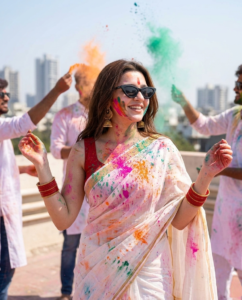
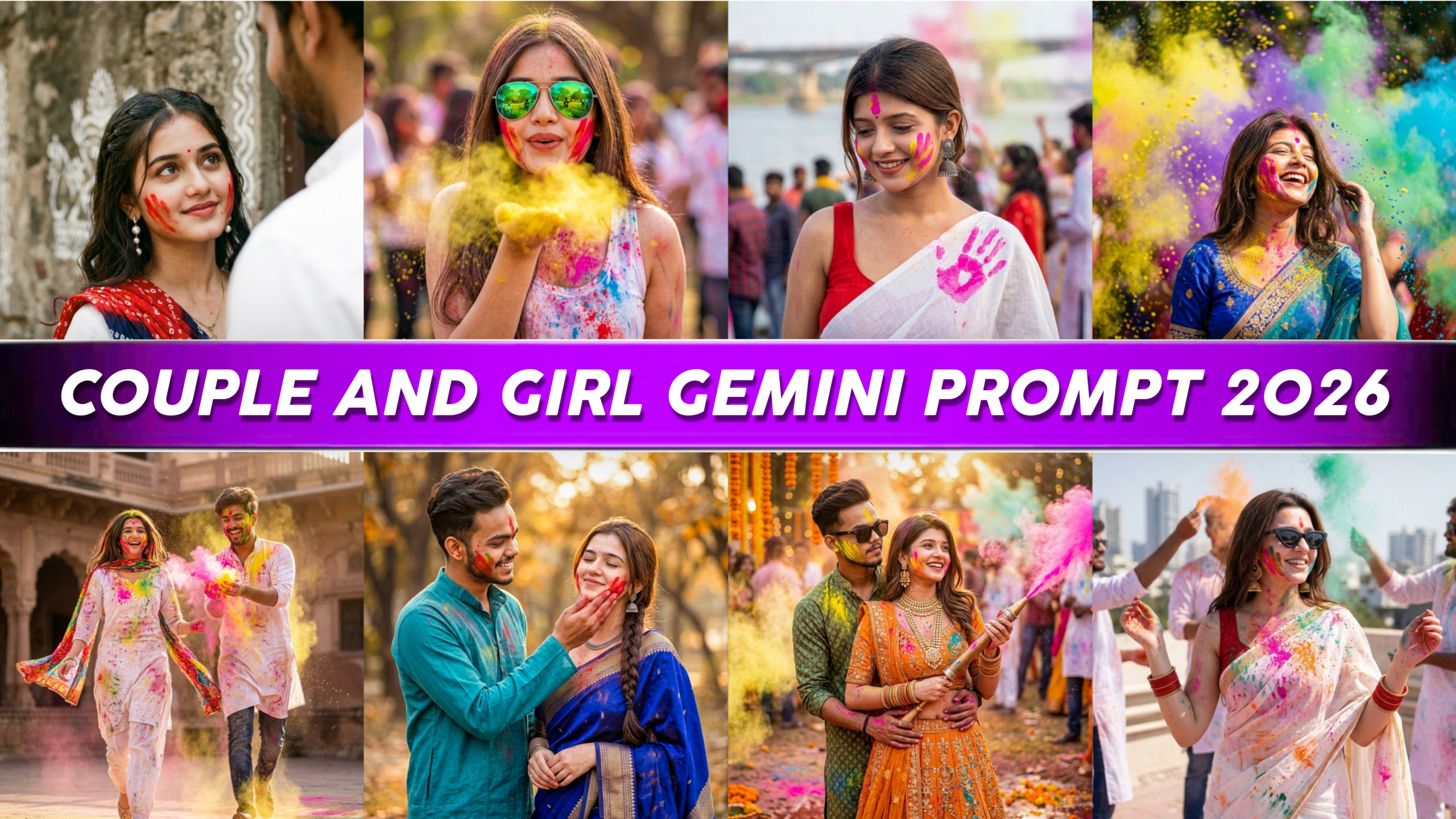
“A cinematic medium shot of a beautiful Indian woman celebrating the Holi festival on a sunny rooftop. She has vibrant pink, orange, and red gulal powder smeared artistically across her face, shoulders, and arms. She is smiling joyfully, looking slightly off-camera, wearing stylish oversized black cat-eye sunglasses.”
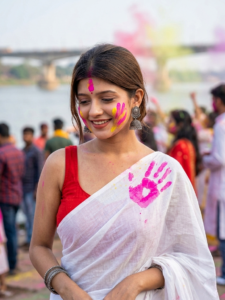
A high-resolution cinematic portrait of a beautiful Indian woman celebrating Holi. She is wearing a white saree with a red sleeveless blouse, adorned with colorful handprints in red, yellow, and green. Her face has a prominent bright pink “gulal” powder handprint on her cheek. She is wearing traditional heavy silver jhumka earrings and oxidized bangles. She is looking down with a gentle, serene smile. The background is a soft-focus outdoor setting near a river with a large bridge structure visible in the distance. Natural, soft daylight with a shallow depth of field.
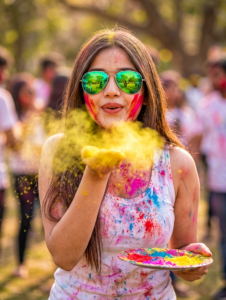
A high-resolution, cinematic portrait of a beautiful young woman celebrating the Holi festival outdoors. She has long, wavy brown hair and is wearing green-tinted aviator sunglasses that reflect a sunny park scene. Her face is artfully smeared with bright red and yellow powder. She is captured in a dynamic pose, blowing a cloud of vibrant yellow powder toward the camera from her palm. She wears a white tank top stained with splashes of pink and red pigment. In her other hand, she holds a white plate filled with mounds of multicolored powders (pink, blue, yellow). The background is a soft, creamy bokeh of a sunlit green park. The lighting is bright and warm, emphasizing the texture of the floating powder particles.
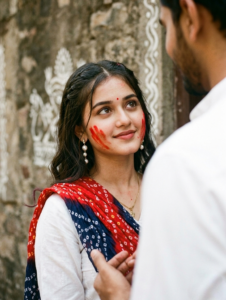
A candid, medium shot of a young Indian woman with deep brown eyes and dark, wavy hair, looking upward with a soft, affectionate smile. Her face is lightly smeared with red gulal powder on her cheeks, and she wears a small red bindi. She is dressed in a traditional white kurti with a vibrant red and navy blue bandhani print dupatta draped over her shoulder. She wears elegant pearl drop earrings. The background is a rustic, weathered stone wall with faint white traditional folk art (alpana). In the foreground, the blurred shoulder and hand of a man in a white shirt are visible, suggesting an intimate conversation. The lighting is soft and natural, creating a warm, nostalgic mood.
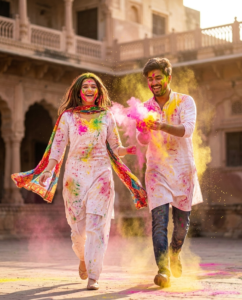
A cinematic, high-motion shot of a young Indian couple joyfully celebrating the Holi festival. They are running toward the camera, wearing traditional white cotton kurta and salwar kameez splattered with vibrant pink, yellow, and green gulal powder. The woman’s colorful dupatta flows behind her in the wind. The man has his arm raised, tossing a cloud of neon pink and yellow powder into the air. The background features a sun-drenched courtyard of an ancient sandstone palace with a soft bokeh effect. The lighting is warm and golden, capturing frozen particles of colored dust suspended in the air. High energy, candid expressions of laughter, ultra-realistic textures.
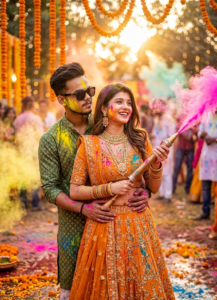
“A cinematic, high-resolution photo of a young Indian couple celebrating the Holi festival. The woman is wearing a heavily embroidered orange lehenga with gold jewelry and bangles, holding a traditional colorful pichkari (water gun) that is spraying bright pink powder. The man stands behind her, embracing her waist, wearing a green patterned kurta and dark sunglasses with yellow holi powder on his cheek. They are surrounded by a festive blur of orange marigold garlands, golden bokeh lights, and clouds of vibrant pink and yellow gulal. The atmosphere is joyful and romantic with warm, sun-drenched lighting.”
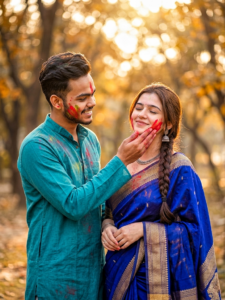
“A cinematic, medium shot of a young Indian couple celebrating Holi in a sun-dappled park. The man, wearing a teal cotton kurta, gently applies vibrant red gulal powder to the woman’s cheek. The woman, eyes closed with a serene smile, is dressed in a rich royal blue silk saree with intricate gold zari borders and traditional jewelry. Both have colorful powder smudges on their faces. The background features a soft, creamy bokeh of autumn trees with warm, golden hour sunlight filtering through. Realistic skin textures, high detail, 8k resolution, romantic and festive atmosphere.”
How To Create Holi Couples AI Photo Editing Prompts?
In this article, we’ll learn how to create an holi ai image. If you’d like to create your own holi editing. You can click the “Create” button above to create your own image.
- First of all you have to click on the Create Image button given above.
- Now the google gemini website will open in front of you.
- Now you have to click on the plus icon.
- Now click on upload file and add photo from your gallery.
- Now paste the prompt and then click on Share button.
- Now the image will start getting created and processed, just wait a minute.
- Now save your photo by clicking on the image.
Conclusion
Look friends, through this post I have told you the entire Holi editing and. You will love this prompt you, will find similar trending editing learning on our website, keep visiting our website for more trading. AI prompts, and keep your love and support.