Trending Gym Ai Video Editing – Hello Friends, Today I am going to tell you about such an AI video, and you will like this video edit very much. And you must have seen this video somewhere, which is going viral on social media. You can make this video with the help of AI and template, so today I am going to tell you the complete step by step about making and editing AI video of Hanuman ji. Just read this article carefully and I will explain the entire process to you.
Details Of Trending Gym Ai Video Editing
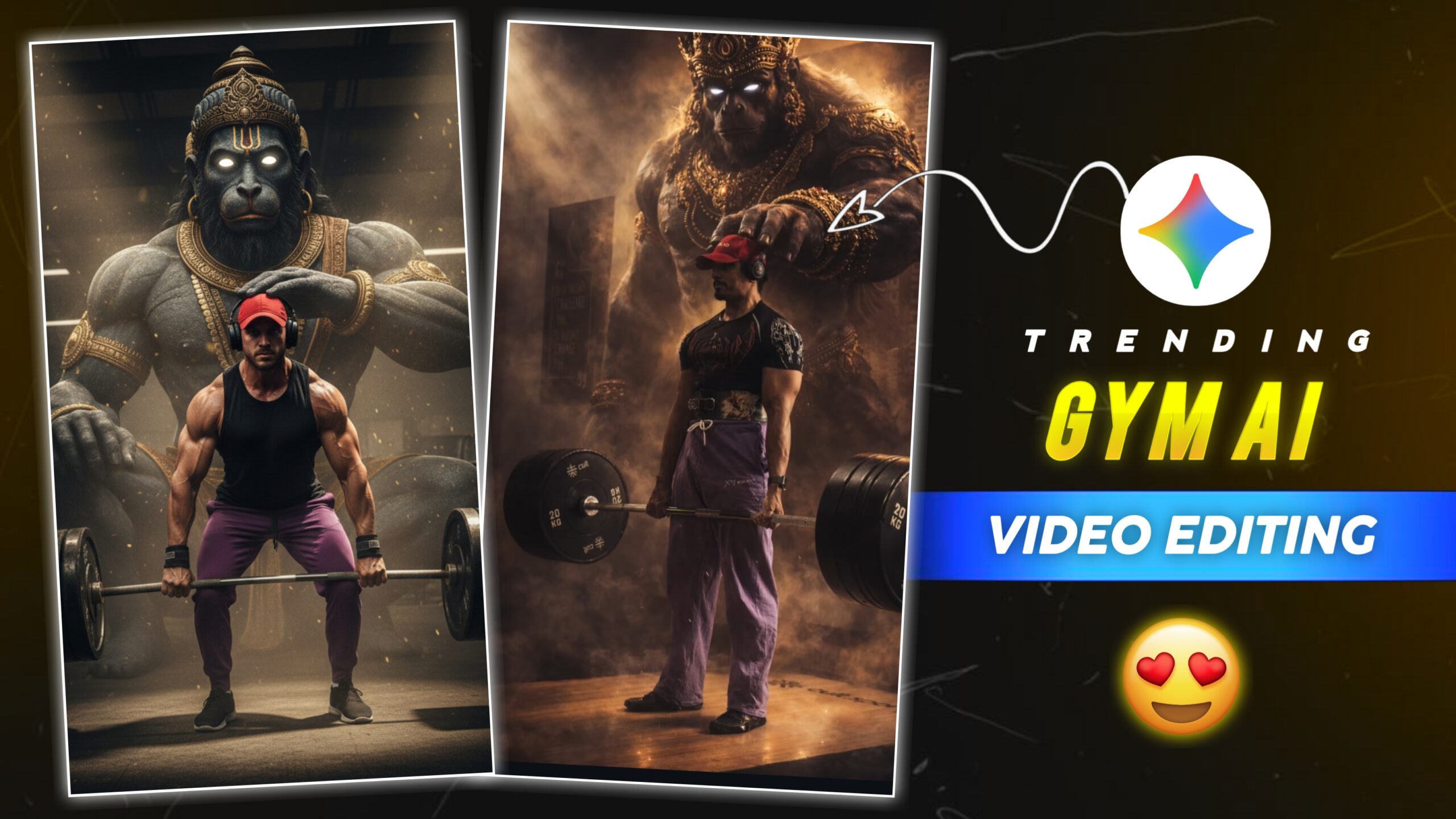
Friends, First of all let us understand about editing. Friends, in this video the man is lifting dumbbells. Then the video stops and after that the image of Hanuman ji appears, and Lord Hanuman ji is seen placing his hand on the head of that man. As if God is with him, and supporting him. And this image is created using AI, I am going to give you the prompt of this image, then you will paste the prompt and generate your image. And the reason for it going viral is this image, that is why this video is going viral. So I am going to teach you about this video edit and AI image generated.
How To Edit And Select Your Videos And Photos
Friends, now let us understand how to select our videos and photos. So first you need to shoot a video of yourself lifting dumbbells. Then you have to click a screenshot from the video clip that you have shot. Keep in mind that we have to take a screenshot of the photo while lifting the dumbbell, and after that we have to create an image using the eye. And almost everyone knows how to use gemini, for this we will use Google Gemini. And after that, to make the video, we will use CapCut template, because it is the easiest to make the video. In this you have to add your video and image, after that the automatic template will edit your video. If you don’t know how to use it, I will tell you, you just have to keep reading this paragraph.
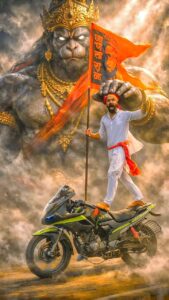 1 Copy Prompt 👇
A cinematic, high-action shot of a spirited young man with a beard, wearing a traditional white kurta-pyjama and a red turban, standing heroically atop a moving modern sports motorcycle. He is holding a tall saffron flag with religious iconography, shouting with intense fervor. Towering directly behind him is a massive, divine, and stone-textured manifestation of Lord Hanuman, appearing like a colossal mountain-sized deity through swirling clouds of dust and golden sunlight. The deity’s giant hand is positioned protectively over the man. The scene is filled with dramatic amber lighting, volumetric smoke, and a powerful sense of spiritual strength. Hyper-realistic, 8k resolution, epic fantasy style.
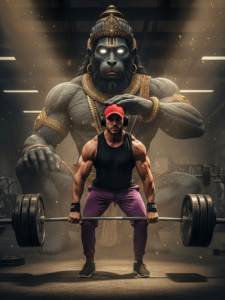
2 Copy Prompt 👇
A cinematic, hyper-realistic photo of a muscular man performing a heavy barbell deadlift in a gym. He is wearing a red cap, headphones, and purple lifting pants. Looming directly behind him is a colossal, ethereal, and ancient deity resembling Lord Hanuman, crafted in dark stone with intricate gold jewelry and glowing white eyes. The deity’s massive hand is gently resting on the man’s head as a sign of blessing and protection. The atmosphere is filled with golden dust, dramatic volumetric lighting, and heavy shadows. High-octane energy, mythological realism, 8k resolution.

How To Use Trending Gym Ai Video Editing
Friends, to make this video, you will find the Create Video button given above, and if you go a little higher, you will find the Create Image button. You can create your own videos and photos by clicking on them. I’ve also provided more editing steps below. You can read them and edit your photos and videos.
How To Crete Your Image
Now know how to generate your image, I have explained it step by step.
- So first of all we will copy the prompt given above.
- Now click on the Create Image button given above.
- Now Google Gemini website will open in front of you.
- After that click on the plus icon on the bottom side.
- Then you have to select the screenshot image.
- Now paste the prompt along with your image and click on the send icon.
- Your image will then start generating. You’ll need to wait for the processing to take place.
- After that the image will be generated, now you have to click on the image and save it.
How To Crete Your Video
Now let us understand how to edit your video, I have explained it step by step.
- So for this, click on the Create Video button given above.
- It will now open in the CapCut application, provided you already have CapCut installed on your computer or mobile.
- If you don’t have CapCut, install the latest version of CapCut first.
- Now, click on the Template button to open the template in CapCut.
- Here you will see a preview of the template and the option to “Use” in the bottom corner.
- Click the “Use” button; this will open your gallery.
- Here we need to add our video and photo clips.
- Now, click on the “Next” button and wait for a few moments.
- Your video is now ready. You can play it and then save it.
- To save the video, click the “Export” button above and your video will be saved.
Conclusion
Friends, I have told you about this AI video edit and image generation of Hanuman ji, and I have also shared the link with you, now you can make it. To know more such trading videos and image editing, you can always visit our website. I hope you enjoyed this video. I’ll keep you updated with trending videos and photos like this, just keep the love and support coming.