Hello friends, AI videos are trending these days, so people are creating videos using AI. And these kinds of AI videos are going viral on Instagram. Creating such AI videos is very easy. I will show you how you can create them. So, I’m going to tell you how you can create AI videos completely free of charge using prompts in Google Flow. Read the article to learn more.
What is Ai Video Editing?
Google Follow AI allows you to add your photos and paste a prompt. It then automatically creates an AI video from your photos. The video creation process is very fast, which is why people use this AI tool.
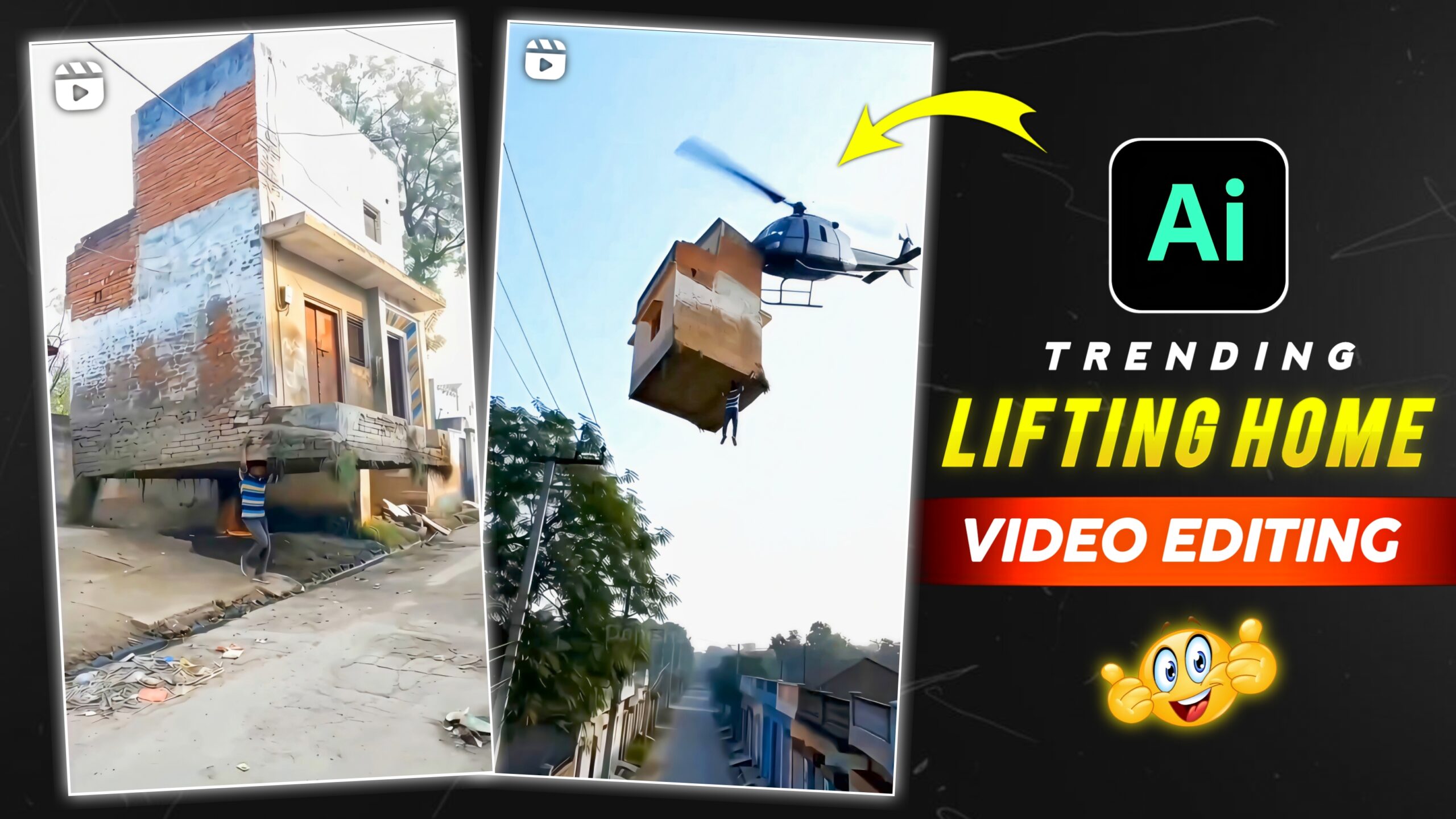
Details Of Lifting Home Trending Ai Video Editing
Friends, this type of AI video is created using websites like Google Gemini, which you may have heard of, and Google Flow. Both of these websites are quite popular, and there are many other similar websites where you can create AI videos. AI-generated videos are trending these days. If you all want to create videos using AI, you can do so by clicking on the “Create” button below.

Promot 👇
A hyper-realistic cinematic video created from my uploaded photo as the base.
The same house visible in the photo remains in its original place.
The subject from the photo stands beside the house.
The ground shakes gently as cracks spread outward and loose soil breaks apart.
With natural, realistic body motion and subtle breathing, the subject grips the base of the house with both hands and slowly lifts it from the ground.
Dust and small debris fall as the house comes free, foundation and soil pieces dangling.
The subject raises the house above shoulder height and begins walking forward while carrying it.
Smooth physics-accurate movement, natural hair and cloth motion, soft sunlight rays, real-world shadows, and cinematic depth of field, 4K hyper-real live-action realism, no exaggerated expressions.
How To Use Lifting Home Trending Ai Video Editing
Lifting Home Trending Ai Video Editing – So friends, now you can create this viral AI video. If you don’t know how to create it, read the steps given below, and then you can start making the video.
- First, you need to copy the prompt given above.
- Then You Need to click on the Create button.
- Now open the Google Flow website.
- Create a new project.
- Select the Text to Video option and then the Frame to Video option.
- Upload your clear photo.
- Paste this prompt and send it.
- And just wait a little. Your AI video will be automatically created.
Conclusion
So friends, this is how you can create viral AI videos using prompts, and you won’t have any trouble making videos. This website provides information about trending videos and photo editing. Keep visiting our website to learn more about such editing techniques.